

The End of Passwords: What Microsoft’s Move Means for MSPs and Your Business Security

The End of Passwords: What Microsoft’s Move Means for MSPs and Your Business Security

Passwords are officially on their way out—and Microsoft is leading the charge. Starting July 2025, Microsoft will begin shifting users toward passkeys, a revolutionary passwordless authentication method that offers enhanced security, greater convenience, and strong protection against cyber threats.

For Managed Service Providers (MSPs) and businesses across Tulsa, Oklahoma, and the surrounding region, this change signals a major shift in cybersecurity best practices, identity and access management (IAM), and user authentication protocols. If your organization or MSP clients are still relying on traditional passwords to secure critical business systems and data, it’s time to rethink your IT security strategy.

At Nomerel MSP, we specialize in helping businesses throughout Oklahoma, Kansas, Missouri, Arkansas, and Texas modernize their IT environments with forward-thinking, security-first solutions. Microsoft’s password phase-out highlights the urgent need for MSPs and IT teams to prioritize passwordless authentication as part of a robust cybersecurity framework.

What Are Passkeys? Why Are They a Game-Changer for MSP Cybersecurity?

Passkeys are cryptographic credentials uniquely tied to a user’s device and identity. Instead of typing a password, users authenticate via biometric data (such as Face ID or fingerprint) or a device PIN. These credentials never leave the device, eliminating risks associated with phishing, credential theft, or password reuse.

Microsoft, alongside other tech leaders like Google and Apple, fully supports passkeys as the future standard in secure authentication, making it an essential focus for MSPs managing cybersecurity for their clients. Key benefits include:

  • Enhanced Security: Passkeys prevent phishing and credential-stuffing attacks, drastically reducing breach risks for MSP-managed networks.
  • User Convenience: Eliminates forgotten passwords, reset emails, and login delays—boosting user productivity.
  • Hybrid and Remote Work Ready: Designed for seamless use across cloud services and remote workforce environments, critical for MSPs supporting modern businesses.

For MSPs managing Microsoft 365 or Azure Active Directory environments, transitioning clients to passkeys can be smooth and straightforward—with the right expertise and IT support.

Why MSPs in Oklahoma and Beyond Should Prioritize Passwordless Authentication

Phishing, data breaches, and compromised credentials remain among the top cybersecurity threats facing small and mid-sized businesses today. Many organizations in Tulsa, Broken Arrow, and Green Country still rely on outdated password policies, creating critical vulnerabilities in their security posture.

As a trusted Managed IT Service Provider (MSP), Nomerel offers comprehensive cybersecurity services tailored to help businesses and MSP clients mitigate these risks, including:

  • Seamless transition to modern passwordless authentication with Microsoft and other platforms
  • Implementation and enforcement of Multi-Factor Authentication (MFA) across all user accounts
  • Strengthening Identity and Access Management (IAM) and Zero Trust security frameworks
  • Employee security awareness training focused on phishing and social engineering threats
  • Continuous monitoring of login activity and role-based access control enforcement

Our MSP cybersecurity solutions do more than just add security layers—we integrate them into your business continuity and IT strategy.

Future-Proof Your Business with MSP-Led Passwordless Security Solutions

Microsoft’s move to passwordless authentication is just the beginning of a larger shift in cybersecurity. Passkeys will soon become the new login standard across devices, cloud applications, and enterprise systems. Businesses that adopt these solutions early—whether they are financial firms in Tulsa, healthcare providers in Owasso, or logistics companies expanding into Kansas or Texas—will enjoy reduced cyber risks, enhanced compliance, and streamlined user access.

For MSPs, this represents a significant opportunity to guide clients through digital transformation with expert passwordless authentication deployment and ongoing IT security management.

Nomerel MSP: Your Partner in Managed IT and Cybersecurity Excellence

Our MSP team is already helping businesses across Oklahoma and neighboring states prepare for the passwordless future. From compliance frameworks like HIPAA, CMMC, and FINRA to Zero Trust architecture planning, we deliver enterprise-grade IT security solutions with the personalized service of a local MSP partner.

Managing IT and cybersecurity can be overwhelming—especially amid rapid changes like Microsoft’s new passwordless policy. Nomerel MSP offers proactive, strategic IT guidance designed to meet your unique business needs and protect your most valuable assets.

Is your MSP or business ready to embrace passwordless security?

Contact Nomerel MSP today to learn how we can help you implement secure, user-friendly authentication methods that protect your data and enhance productivity.

Photo of the author Faith Morgan

Faith Morgan

Author, Marketing Coordinator at Nomerel

Faith is a dynamic marketing professional with over 9 years of experience in content marketing, social media strategy and video production. An avid traveler and outdoor enthusiast, she draws inspiration from exploring new places, enriching her storytelling approach. At Nomerel, she enhances communication, streamlines processes, and supports the company’s mission to provide exceptional IT solutions.
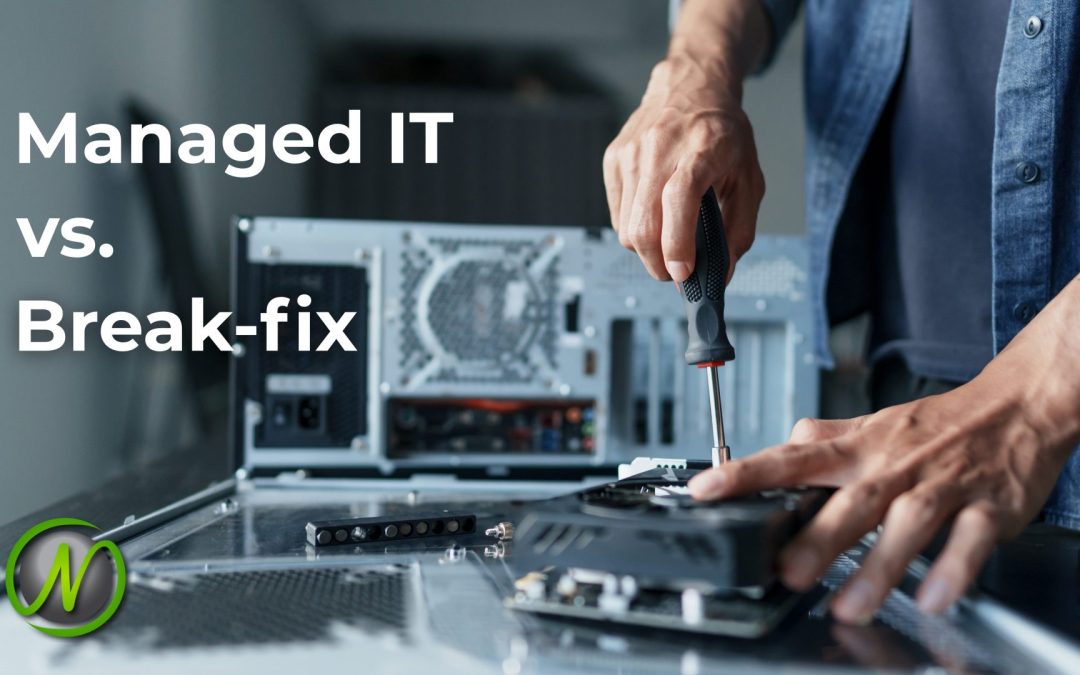

Top 5 Reasons Oklahoma Businesses Choose Nomerel for Managed IT Support

Top 5 Reasons Oklahoma Businesses Choose Nomerel for Managed IT Support

In today’s fast-paced business environment, reliable IT services are more than just a necessity—they are a strategic advantage. Whether you’re a manufacturer in North Tulsa, a growing firm in Broken Arrow, or a service provider in Owasso or Bixby, your technology is the backbone of your operations. When your IT systems go down, everything grinds to a halt.

That’s why businesses across Tulsa and surrounding areas trust Nomerel for Managed IT Services. As a local, Oklahoma-based IT service provider, we combine deep technical expertise, personalized service, and a proactive approach that national IT support companies can’t offer. Here are five key reasons Oklahoma businesses turn to Nomerel for managed IT support.

1. Local Expertise with Enterprise-Level Capability

As a Tulsa-based IT service provider, Nomerel has a unique understanding of Oklahoma’s business landscape. We know the industries that thrive here and the IT challenges regional businesses face. Unlike one-size-fits-all solutions offered by larger, national firms, Nomerel tailors its managed IT services to fit your specific needs.

We offer enterprise-level IT solutions, including:

  • Multi-site network design and deployment
  • Cloud migrations and hybrid IT environments
  • Regulatory compliance support (HIPAA, CMMC, FINRA)
  • Disaster recovery and business continuity planning
  • Comprehensive cybersecurity architecture

Whether you’re a small office in Jenks or a mid-sized business in Moore, Nomerel’s managed IT services scale to meet your needs.

2. Fast, Human Support with Real-Time SLAs

Nothing is more frustrating than slow, impersonal IT support. With Nomerel, you’ll never face that issue.

Our IT help desk is staffed with real people who understand your business and its IT environment. We operate on real-time service level agreements (SLAs) to ensure fast response times, so you can get back to work without unnecessary delays.

Communication is clear, transparent, and efficient, ensuring you’re never left in the dark.

3. Cybersecurity Built-In, Not Bolted-On

In today’s digital world, cybersecurity is a top concern for businesses in Tulsa, Claremore, and beyond. Small and mid-sized businesses are particularly vulnerable to cyberattacks such as phishing, ransomware, and social engineering.

At Nomerel, cybersecurity is integrated into every aspect of our managed IT support services. We provide:

  • Next-gen endpoint protection
  • Fully managed firewalls
  • Security awareness training for your team
  • Real-time threat detection and response
  • Secure, tested backup and disaster recovery solutions

Our cybersecurity services are customized to your business’s specific risks and compliance needs, ensuring practical protection against today’s evolving cyber threats.

4. A Strategic IT Partner, Not Just a Vendor

Unlike many IT companies that only show up when something breaks, Nomerel takes a proactive approach. We continuously monitor and maintain your IT infrastructure to prevent issues before they occur.

Every managed IT client benefits from Virtual Chief Information Officer (vCIO) services, which include:

  • Regular IT strategy meetings
  • IT budgeting and roadmap planning
  • Lifecycle and asset management
  • Compliance and audit readiness

We go beyond day-to-day fixes and help align your technology decisions with your long-term goals, ensuring that your IT infrastructure grows with your business.

5. Proven Results for Regional Businesses

Over the years, we’ve helped businesses across Oklahoma, Kansas, Missouri, Arkansas, and Texas improve their IT environments through tailored support and proactive strategy.

Whether it’s reducing downtime, strengthening security, or modernizing outdated systems, our clients consistently see the difference a reliable IT partner can make.

While every business is unique, here are examples of the kinds of results we help deliver:

  • Faster support response times that improve employee productivity and satisfaction

  • Streamlined systems that reduce operational costs and simplify IT management

  • Security and compliance improvements, including HIPAA readiness and remote access solutions

These outcomes reflect our commitment to providing IT support that drives real-world impact—not just temporary fixes.

More Than Just IT Support—A Trusted IT Partner for Your Business

Choosing an IT partner is a significant decision. You’re not just hiring someone to fix technical issues; you’re selecting a trusted advisor who will stand by your side during system outages, cybersecurity threats, and opportunities for growth.

Businesses throughout Tulsa and the surrounding areas trust Nomerel because we offer consistent results, reliable service, and a level of care that’s hard to find with large IT companies. If your current IT support is reactive, slow, or impersonal, it’s time to consider a better solution.

Let’s discuss how Nomerel can help your business run smoothly, efficiently, and securely. We are here to listen, understand your needs, and build a customized IT strategy that aligns with your business goals and budget.

Don’t settle for subpar IT support. Partner with a team that will empower your business every day.

Start your conversation with Nomerel today and see why businesses across Oklahoma and beyond trust us for their IT services.


Protecting Your Business from Cyberattacks: A Comprehensive Guide

Protecting Your Business from Cyberattacks: A Comprehensive Guide

In today’s digital landscape, businesses in Oklahoma and surrounding areas increasingly rely on online platforms and IT infrastructure. While this connectivity offers numerous advantages, it also exposes organizations to heightened cybersecurity risks. Cyberattacks can compromise sensitive data, including customer names, social security numbers, credit card information, and addresses, leading to financial losses and reputational damage.

The Critical Role of End Users in Cybersecurity

While businesses often focus on securing their systems and networks, it’s essential to recognize that end users—the employees, contractors, and even customers—are the most critical and vulnerable part of any cybersecurity strategy. In fact, human error is one of the primary causes of data breaches and other cyber incidents. Whether it’s falling for a phishing scam, reusing weak passwords, or neglecting software updates, end users often provide the easiest entry point for cybercriminals.

As a business owner or manager, it’s imperative to implement robust cybersecurity protocols and foster a culture of security awareness within your organization. Employees must understand their role in safeguarding sensitive information and mitigating potential risks.

Understanding Cyberattacks

A cyberattack involves unauthorized access to computer systems or networks, aiming to disrupt, disable, or steal data. These attacks can originate from various sources and employ multiple tactics. Cybercriminals often target businesses for financial gain, seeking to exploit vulnerabilities in IT systems.

Common Motivations Behind Cyberattacks

  • Financial Gain: Attackers may steal sensitive information to commit fraud or demand ransom payments after encrypting critical data.
  • Revenge: Disgruntled former employees might attempt to harm a company’s reputation or operations.
  • Cyberwarfare: Nation-states may engage in cyberattacks as part of political or economic conflicts.

Prevalent Types of Cyberattacks

  1. Malware: Malicious software designed to damage or disrupt systems. Examples include trojans, ransomware, and spyware. Malware can steal private information, restrict file access, and cause significant downtime.
  2. Phishing: Deceptive emails or messages trick users into revealing sensitive information or clicking malicious links, often appearing to come from trusted sources.
  3. Man-in-the-Middle (MitM): Intercepting communications between two parties to steal data without their knowledge. This can be especially dangerous during financial transactions.
  4. Distributed Denial-of-Service (DDoS): Overwhelming servers with excessive traffic to cause disruptions. These attacks are often used as a distraction for larger breaches.
  5. SQL Injection: Exploiting database vulnerabilities by inserting malicious code, potentially exposing or deleting critical data.
  6. Zero-Day Exploits: Attacks that target previously unknown vulnerabilities before developers have a chance to fix them.
  7. Drive-by Downloads: Malware automatically downloaded from compromised websites without the user’s knowledge.
  8. Credential-Based Attacks: Unauthorized access using stolen usernames and passwords, often obtained through phishing or data breaches.
  9. Brute-Force Attacks: Using trial-and-error to guess login credentials, eventually gaining unauthorized access if successful.

8 Essential Steps to Safeguard Your Business

  1. Regular Data Backups
    Implement the 3-2-1 backup strategy: three copies of your data, on two different types of media, with one stored offsite. Use daily incremental backups, weekly and monthly full backups, and ensure all data can be successfully restored when needed. Avoid leaving backup devices connected to the primary network to reduce exposure to malware.
  2. Secure Networks and Devices
    Update all systems and software regularly, install trusted security software, and set up firewalls to act as gatekeepers between your internal network and the internet. Enable spam filters to minimize phishing emails and malicious attachments. Ensure that firewalls are also installed on mobile devices used for business.
  3. Encrypt Sensitive Information
    Encryption transforms data into unreadable code that can only be accessed with the correct decryption key. Use encryption protocols for data in transit and at rest. Some software can even alert you when data is tampered with.
  4. Implement Multi-Factor Authentication (MFA)
    MFA adds a layer of protection by requiring users to verify their identity with two or more authentication factors. While it may seem inconvenient, it significantly reduces the risk of unauthorized access.
  5. Adopt Strong Passphrases
    Replace simple passwords with passphrases—strings of random or unrelated words mixed with numbers and symbols. A strong passphrase should contain at least 14 characters, combining uppercase, lowercase, digits, and symbols.
  6. Monitor System and Equipment Usage
    Maintain an inventory of all software and hardware used within your organization. Retire unused devices, wipe sensitive data, and disconnect them from the network. Promptly revoke access for former employees or those who no longer need it in their role.
  7. Educate Employees on Cybersecurity
    Your employees are the first line of defense. Provide training on creating secure passphrases, identifying phishing attempts, and responding to security incidents. A cyber-aware team is less likely to fall victim to attacks.
  8. Consult Cybersecurity Professionals
    Not sure where to begin? Managed IT services providers like Nomerel offer expert guidance to help you assess vulnerabilities, implement defenses, and stay compliant with evolving security standards. Partnering with professionals ensures a tailored, proactive approach to your company’s cybersecurity.

Partnering with Nomerel for Cybersecurity in Oklahoma


At Nomerel LLC, headquartered in Tulsa, Oklahoma, we specialize in providing top-tier managed IT services and cybersecurity solutions for businesses throughout Oklahoma, Kansas, Missouri, Arkansas, and Texas. We understand that your employees are the frontline in protecting your company from cyber threats, which is why we offer comprehensive training and support to ensure they are equipped to identify and respond to potential risks.

For proactive IT support, secure data management, and cutting-edge cybersecurity solutions, contact Nomerel at (918) 770-4099 or visit nomerel.com/contact.

Don’t wait until it’s too late. Protect your business, your data, and your reputation by partnering with Nomerel today!

By focusing on both technological defenses and employee education, you can create a cybersecurity culture that minimizes risks and protects your business from the growing threat of cyberattacks.

Is My Computer Up to Date? Why It Matters for Cybersecurity

Is My Computer Up to Date? Why It Matters for Cybersecurity

In today’s digital landscape, having an updated computer is crucial for robust IT services and cybersecurity. An outdated computer not only jeopardizes your sensitive data but also undermines effective IT support. Cybercriminals actively exploit vulnerabilities in old operating systems, browsers, and applications to gain access to sensitive data. Despite this, many businesses and users—whether in Tulsa, Oklahoma or beyond—overlook critical updates, leaving their systems at risk.

At Nomerel, a leader in managed IT services and Tulsa IT support, we often hear the common question: “Is my PC outdated?” If you’re unsure, your system could be exposed to cyber attacks and performance issues. Here’s why keeping your computer up to date is essential for both personal and business cybersecurity, and how you can do it quickly and effectively.

The Security Risks of Outdated Systems


Every year, hackers discover new vulnerabilities in operating systems and software. When a security hole is found, developers release patches and updates to fix these weaknesses. However, if your computer remains outdated, these vulnerabilities remain open, giving attackers an opportunity to exploit them. This is a common concern for those asking, “how can businesses prevent cyber attacks?”

Some of the most common risks associated with outdated systems include:

  • Unpatched Vulnerabilities: Hackers target known security flaws in outdated operating systems and applications to gain unauthorized access to systems.
  • Increased Malware Risk: Ransomware, spyware, and other types of malware often exploit outdated software to infiltrate devices and networks, challenging even the best IT services.
  • Loss of Support: Older versions of Windows, macOS, and other software eventually stop receiving updates. Without managed IT services or regular IT support, businesses find themselves exposed to risks.
  • Phishing & Credential Theft: Unpatched browsers and email clients can expose users to phishing attacks, where cybercriminals steal login credentials and other sensitive data.
  • System Instability & Performance Issues: Older software can slow down your computer, crash frequently, or become incompatible with new applications and security protocols.

How to Ensure Your System is Secure:


If you’re wondering, “Is my PC outdated?” or questioning how your business can prevent a cyber attack, follow these steps to verify and improve your system’s security:

1. Enable Automatic Updates

The easiest way to stay secure is to allow automatic updates for your operating system, security software, and key applications. Most modern systems and IT services include this feature, ensuring you receive critical patches as soon as they are released.

2. Check for Operating System Updates

    • Windows: Go to Settings > Windows Update and click Check for Updates. If updates are available, install them immediately.
    • Mac: Open About this Mac > Software Update to check if a new macOS version is available.

3. Update Software & Web Browsers

Outdated applications and browsers pose significant risks. Check for updates in the Microsoft Store, Apple App Store, or the software’s settings menu. Ensuring that your web browser (Chrome, Edge, Firefox, or Safari) is updated is key to robust IT support and cybersecurity.

4. Upgrade Your Security Software

Your antivirus, firewall, and other security programs must be updated regularly to detect and defend against new threats. Cybercriminals develop new attack techniques daily, making frequent updates a necessity rather than an option—an essential aspect of managed IT services.

5. Replace Outdated Hardware

Even if your software is updated, older hardware may not support the latest security features. If your computer is slow, experiencing frequent crashes, or running an operating system that no longer receives updates (such as Windows 7 or an older MacOS), it may be time for an upgrade. Businesses in Tulsa, Oklahoma should consider this an essential step when looking for comprehensive IT support.

6. Use a Patch Management Solution

Manually updating multiple systems can be time-consuming. At Nomerel, we offer a patch management solution that automates software updates across your network, ensuring that all devices remain secure without disrupting daily operations. This is particularly useful for administrators managing multiple workstations and is a key service offered through our managed IT services.

7. Monitor Update Logs and Security Alerts

Even with automatic updates enabled, it’s crucial to monitor update logs and security alerts from software providers. Sometimes, updates fail to install properly, leaving vulnerabilities unpatched. Regularly checking system logs and subscribing to cybersecurity advisories will help you stay informed about critical updates and emerging threats.

8. Backup Important Data Before Updating

While updates are essential, they can occasionally cause system conflicts or software issues. Before performing major updates, our team at Nomerel will create a backup of your critical files using cloud storage, an external hard drive, or a network-attached storage (NAS) device. This ensures that you can recover your data if an update causes unexpected problems—a best practice in IT support.

Protect Your Business with Proactive IT Support


Cybersecurity threats are constantly evolving, and outdated systems are a prime target for attacks. Keeping your computers up to date is one of the most effective ways to protect your business from data breaches, malware infections, and system failures.

At Nomerel, we provide proactive IT support and comprehensive managed IT services to help businesses in Tulsa, Oklahoma maintain secure, up-to-date systems. Whether you need assistance with updates, security monitoring, or full-scale IT services, our team ensures that your business stays ahead of cyber threats.

Don’t wait until it’s too late! Contact our expert team today to schedule a security assessment and keep your technology protected. Stay secure. Stay updated. Stay ahead.

Key Steps for Successful Business Continuity Planning

Key Steps for Successful Business Continuity Planning

Imagine managing a bustling healthcare clinic where patients rely on timely access to care and critical medical information. The day is running smoothly until, suddenly, a power outage disrupts access to patient records, or worse, a cyberattack compromises sensitive data, leaving both staff and patients in confusion. Operations grind to a halt, appointments are delayed, and patient care is impacted. It’s a stressful scenario, but with a well-prepared Business Continuity Plan (BCP) and our dedicated team at Nomerel by your side, your clinic can stay resilient and keep things moving, even during unexpected crises.

Unexpected chaos can strike any business at any time. One moment, you’re basking in the glory of running a successful establishment; the next, you’re thrown against a wall, staring at a crisis that could disrupt your entire business. Don’t let this be your story. 

At Nomerel, we specialize in helping businesses prepare for the unexpected. In this blog, we’ll share key steps to create a Business Continuity Plan (BCP) that works for you and ensures your business stays up and running, even in the face of disaster.

Key Steps for Successful Business Continuity Planning

Here’s how you can stay resilient, no matter what challenges come your way:

1. Identify and Prioritize What’s Most Important for Your Business

Every business has vital functions that must continue, no matter the situation. The first step in building a solid BCP is identifying these business-critical resources, a process Nomerel specializes in. Once you’ve figured that out, try to understand how sudden disruptions can affect these functions. 

For instance, if you run a retail store, your point-of-sale systems and inventory management would be business-critical. Any disruptions to these could result in lost sales or poor customer experience. At Nomerel, we help businesses pinpoint these key functions, so they can keep things running smoothly—even during a disruption.

2. Develop a Comprehensive Plan

It’s not enough to just know what’s important—you also need a clear, step-by-step plan to minimize downtime. Nomerel collaborates with businesses to design these detailed, actionable plans, assigning roles and responsibilities so everyone knows their part when a disruption occurs.

For example, if your primary server goes down, your IT team should be ready to switch to a backup server, while your customer service team handles client communication. Our team at Nomerel ensures plans are easy to follow, providing a fast and organized response.

3. Use the Latest Technology to Protect Your Data

One of the biggest threats to business continuity is data loss. That’s why leveraging the modern technology that Nomerel offers our clients, like cloud backups and failover systems, is crucial. These tools ensure that even if your systems go down, your data remains secure and accessible.

For instance, a law firm might use cloud storage to back up client files regularly, so even in the event of a cyberattack, the data is retrievable when needed. At Nomerel, we help businesses implement these critical technologies to ensure their operations stay secure and efficient.

4. Train Your Team and Test the Plan

Even the best continuity plan won’t work if your team isn’t ready to implement it. Regular training and testing with your staff and Nomerel’s expertise ensures that everyone knows their role and can act quickly in an emergency. Running mock scenarios also helps you spot potential weaknesses and make improvements.

For example, a healthcare provider might simulate a system outage to ensure staff know how to access patient records through backup systems. Nomerel works with businesses to create and lead training and testing,ensuring your team is prepared when it matters most.

5. Involve Key Stakeholders

Your business continuity plan should involve input from your key team members. Gathering feedback from managers, IT personnel, and other critical staff ensures that your plan is both practical and comprehensive.

For example, your accounting team might have unique concerns about maintaining access to financial data during an outage. Our dedicated team at Nomerel helps businesses involve all relevant stakeholders in the planning process, so no detail is overlooked.

6. Monitor and Improve Continuously

Business continuity is an ongoing process, and your plan should evolve as your business grows or as new threats emerge. After a disruption, gather feedback collaborate with us at Nomerel to strengthen your continuity strategies. 

For instance, after a network outage, you might implement additional failover systems or improve customer communication protocols. At Nomerel, we work with businesses to regularly review and update their plans, ensuring they stay ready for whatever comes next.

Continuity Planning Simple with Nomerel

We know that planning for the unexpected can feel overwhelming, especially when you’re running a small or mid-sized business. But you don’t have to do it alone.

At Nomerel, we offer expert guidance every step of the way, from identifying your critical operations to implementing advanced failover systems.

Let us help you build a business continuity plan that keeps your operations running, even when disaster strikes.

Contact our team at Nomerel to get started today.

www.Nomerel.com

Info@Nomerel.com

About Nomerel Managed IT Service Provider (MSP)

Nomerel is a Managed IT Service Provider headquartered in Tulsa, Oklahoma. Nomerel specializes in delivering cost-effective and reliable technology solutions for small and mid-sized businesses. Founded in 2008, Nomerel has evolved from a break-fix company to a proactive business partner that offers IT support, cybersecurity, and vCIO services, helping businesses maintain and optimize their IT infrastructure. With a focus on agility and simplicity, Nomerel ensures businesses can stay competitive without the need for in-house IT expertise.